
VisiWave Site Survey
A complete wireless LAN site surveying and analysis solution for designing, validating, and troubleshooting Wi-Fi networks.
VisiWave is a full-featured 802.11a/b/g/n/ac/ax wireless site survey solution. It supports all Wi-Fi bands, including 2.4GHz, 5GHz, and 6GHz (Wi-Fi 6E). Survey data is collected using a standard wireless adapter while walking through the survey area, with your location tracked by clicking on a floor plan image or by using an optional GPS receiver.
VisiWave automatically maps radio characteristics across the survey area, producing detailed heatmaps and reports that make it easy to evaluate coverage, performance, and problem areas.
VisiWave is effective for indoor and outdoor environments, including office buildings, warehouses, campuses, city-wide hotspots, existing deployments, and pre-deployment planning.
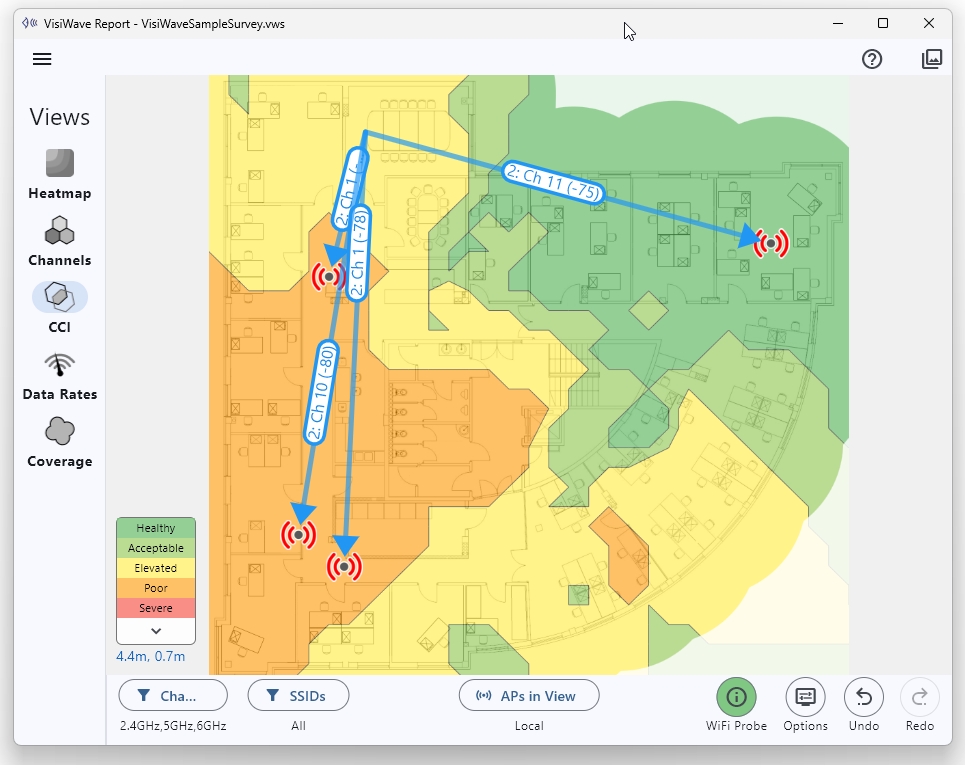
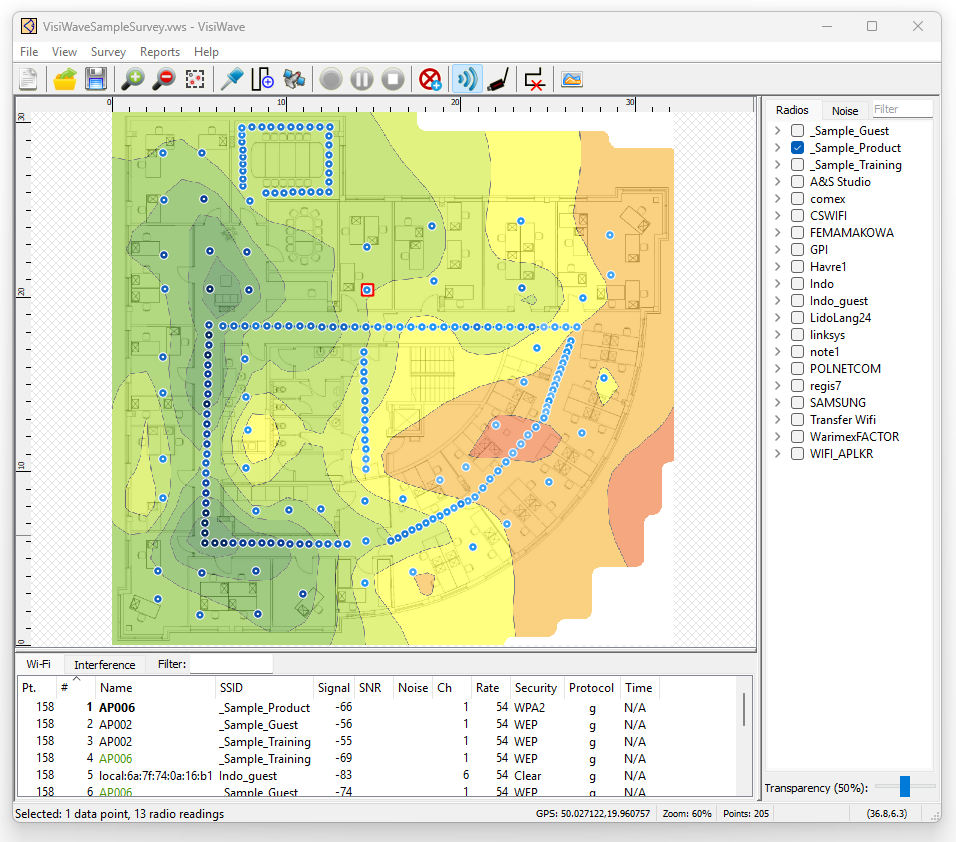
Survey Data Collection
VisiWave Site Survey simplifies the data collection process, allowing surveys to be completed faster and more intuitively than competing products.
Surveys are performed using a Windows laptop, a standard wireless adapter, and an image of the survey area. Each click on the floor plan associates radio-wave characteristics with a precise location.
GPS support allows automatic location tracking for outdoor surveys. Live heatmaps and discovered access points are displayed in real time.
Wireless Reporting & Analysis
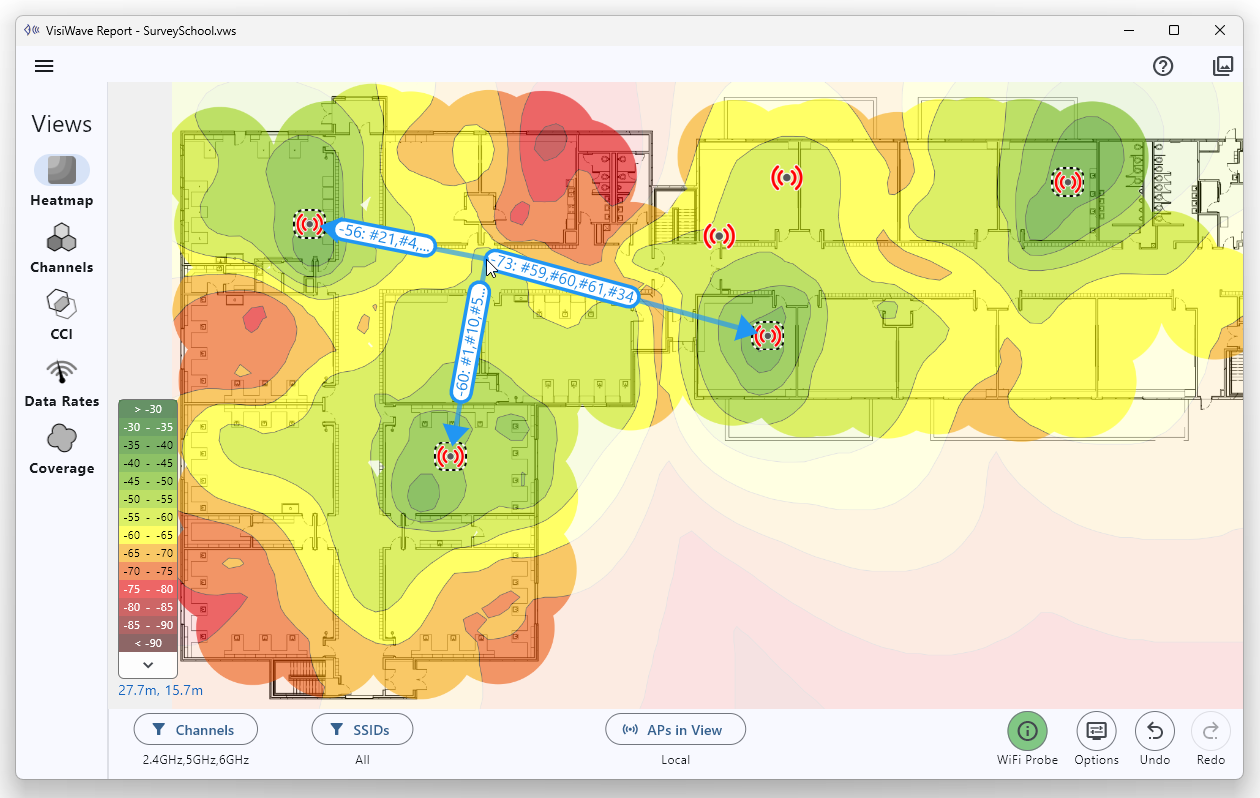
VisiWave turns raw survey data into clear, interactive visualizations that highlight coverage quality, interference, and performance issues.
Reports can be explored interactively or exported as professional PDF documents and images for clients and stakeholders.
Summary
Complete Survey Solution
End-to-end wireless LAN site surveying and analysis.
Standard Hardware
Runs on Windows laptops using standard Wi-Fi adapters.
Indoor & Outdoor
Supports floor plans and GPS-based outdoor surveys.
Live Heatmaps
Instant visualization of coverage and signal behavior.
Professional Reports
Create PDFs and images suitable for clients or management.
Affordable & Proven
Trusted worldwide for over two decades.
What’s Included
VisiWave Site Survey Application
A Windows-based application used for collecting site survey data in the field and generating professional reports that document your wireless environment.
Support & Maintenance
Each license includes free support for the duration of the active subscription, including email and call-back assistance and access to the latest versions.
System Requirements
- Operating System: Windows 8 / 8.1 / 10 / 11
- Wireless Adapter: Any internal or USB Wi-Fi adapter
- Floor Plan Image: PNG, PDF, JPEG, GIF, or BMP
Floor plans can come from CAD exports, scanned drawings, photographs of building maps, or online mapping services for outdoor surveys.
Low Cost, Modest Requirements, Mature Product
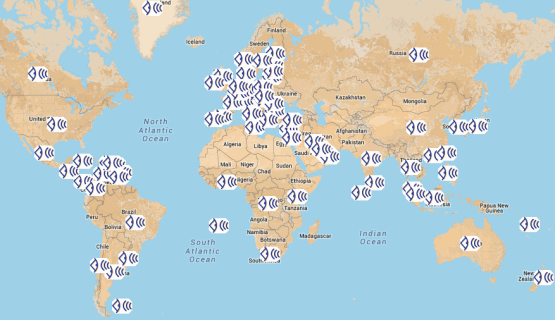
All that is required is a simple software install with no special hardware needed except one of many supported wireless adapters. VisiWave Site Survey has been on the market for over two decades and has customers in over 80 countries.
Site Survey Tips & Techniques
- Make a General Announcement
Before you begin performing the wireless site survey, suggest that a general announcement is made to all employees in the survey area telling them to expect someone walking the halls and entering all rooms and offices taking measurements for a Wi-Fi site survey. This simple email or voice mail message will ease your way through the building and save you time. - Be Prepared for Questions
Be prepared to answer a lot of questions from employees about what you are doing. While performing a wireless site survey in an office building, factory, warehouse, campus, or hospital, you will inevitably get a lot of stares and questions. Many times the people that inhabit these spaces aren't even aware they have a wireless network. Politely answer their questions, ask their permission to enter their offices to, "take a few quick measurements of your wireless network coverage." - Wear Comfortable Shoes
Wear comfortable shoes and take several short breaks. Doing a site survey on a 25,000 square foot facility can cause you to walk more than two miles. In a large facility over the course of a complete day, you might walk 10 miles or more. - Keep Batteries Charged
When doing a large site survey, keeping a laptop charged can be a challenge. Fully charge your battery before starting and keep topping up the charge on every break. And do what you can to preserve your battery while surveying such as dimming the screen and not running anything else during this time. - Expect an Escort
If you are doing a site survey at a customer's site, many companies will want to escort you through the facility. This is usually done for a couple reasons. One is for security reasons. Having an escort allows you to gain access to areas you might not normally be able to enter and prevents you from having to justify your presence to security personnel or other employees. The other main reason is to be there to assist you with any questions you have about the facility including access to some locations and what areas the customer actually wants surveyed. - Follow Facility Rules
Many facilities have special rules that apply either to the entire facility or to certain areas of the facility. Go over any of these rules with the facility manager before starting the site survey. And be aware of the areas with special requirements and obey these rules while performing the site survey. Some facilities require special attire such as hard hats, lab coats, or safety glasses. Also, some locations do not allow electronic equipment that may cause sparks, some areas do not allow cell phones or computers for security reasons, and some areas require special permission to enter. - Survey Outside the Building
If you are doing a site survey of an entire building, you may want to walk around the outside perimeter of the building to get a measurement of the signal loss that occurs due to the building's outer-shell. - Use VisiWave Site Survey
For the most effective results, use VisiWave Site Survey for your next wireless site survey assignment.
Ready to See Your Wi-Fi Clearly?
Download the free trial or purchase a license and start performing professional wireless site surveys in minutes.